Engine and rooms
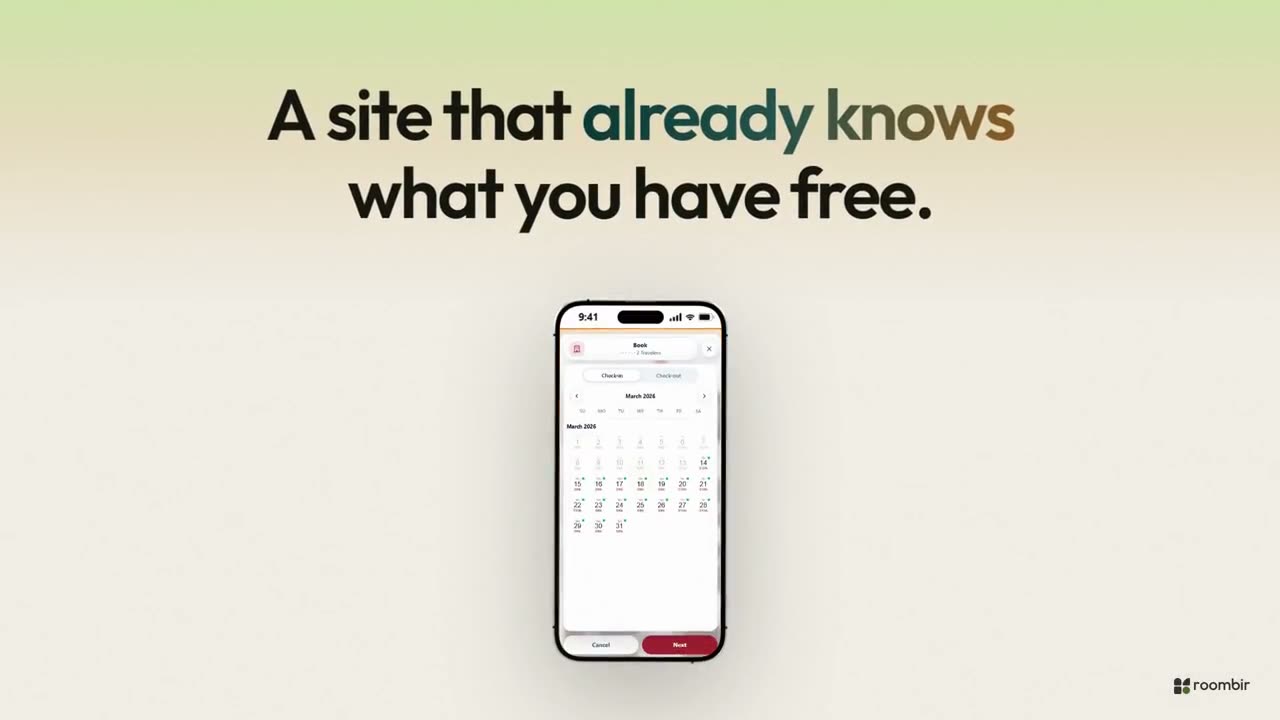
The booking engine, room cards and categories, with real availability and price.
Marketing
The site, the brand, the photos, the reviews and LinkHub all come from the same place as your bookings: you change a price and it's already on the site. And the editor has an assistant: you paste in a screenshot of a site you like and it builds the sections for you, editable.
The editor with an assistant
You paste up to six screenshots per request — a hotel homepage you like, a section from another site — and the assistant builds the sections with that structure and your text, on the canvas and in draft. Then you edit them like anything else.
Wired in, not pasted on
What sets the editor apart from a generic builder isn't the canvas: it's the sections that wire themselves to what you already loaded. In a generic builder, the engine and the rooms get pasted in from another service.
The booking engine, room cards and categories, with real availability and price.
You change a promo in Bookings and the site shows it, without editing the page.
Every language is a page with its own address, its own title and its own social preview. It's not a translator layered on top.
Every language can have its own, with drafts, explicit publishing and preview at several sizes.
Site quality
A panel like PageSpeed's checks what a search engine and a phone punish. The "Fix everything" button corrects what it found using fixed rules, with no AI involved, and checks again.
It flags text too small on a phone, images with no description, and missing titles or descriptions.
You start from a template that fills itself in with your logo, your colors, your photos and your property's text.
Simple mode hides the design controls until you go looking for them. Advanced shows all of them.
Five popup formats with page and frequency rules, and a WhatsApp button with the message already written.
Brand
One identity record that feeds the site, LinkHub, the engine and the data search engines read. Change the logo and it changes everywhere.
Photos and files
Images, videos, audio and documents, with folders, tags and search. You drag from your computer and it's done.
You crop and adjust a photo without leaving the system.
Photos and YouTube or Vimeo videos grouped into property galleries, with a cover and an order.
It's used by the website editor, the brand, the galleries and the assistant. The site shows whichever gallery you pick with a section.
Reviews
You load reviews from Google, Booking, TripAdvisor, Airbnb, Despegar, Hotels.com and your own, by hand or by file, and reply to them from here. The ones you pick show up on your site.
LinkHub
A link-in-bio made for properties: the book button opens the same engine as your site, with real availability and price, with nobody sent off to another form.
Cabañas del Alerce
Villa La Angostura · Neuquén
Book onlineWhatsAppCabin photosHow to get hereReviews · 4.8Readable by an AI
More and more people ask an AI assistant before they search. That assistant doesn't see your photo carousel: it reads text, structured data and routes. Your site and your engine publish all three, and they switch on with one toggle.
No. You can start from a template that fills itself in with your brand, ask the assistant to build a section from a screenshot, or work in simple mode, which hides the design controls. If you do know how to design, advanced mode has per-screen styles, animations and your own CSS.
No, and that's the point. The rooms, engine, galleries, promotions, reviews and services sections wire themselves to what you already loaded. Upload a new photo to a category and it shows up on the site without anyone touching it.
Yes, and every language on the site can have its own.
Yes, by file or by hand.
If you've already loaded the brand and the rooms, you start the site from a template or a screenshot, and LinkHub fills itself in with the property's data.
01You load your brand and your photos.
02You start the site from a template or a screenshot.
03You publish on your domain and build the LinkHub.