Move García from 203 to 204 starting Thursday
It finds the booking, checks that 204 is free those nights and moves it. It hands back the card with the change.
Roombir AI
Roombir AI operates the whole system: it creates and moves bookings, changes rates, blocks units and edits your site. Before it says anything about your destination, it reads a briefing built from fifteen dated sources. And it works with your permissions, not its own.
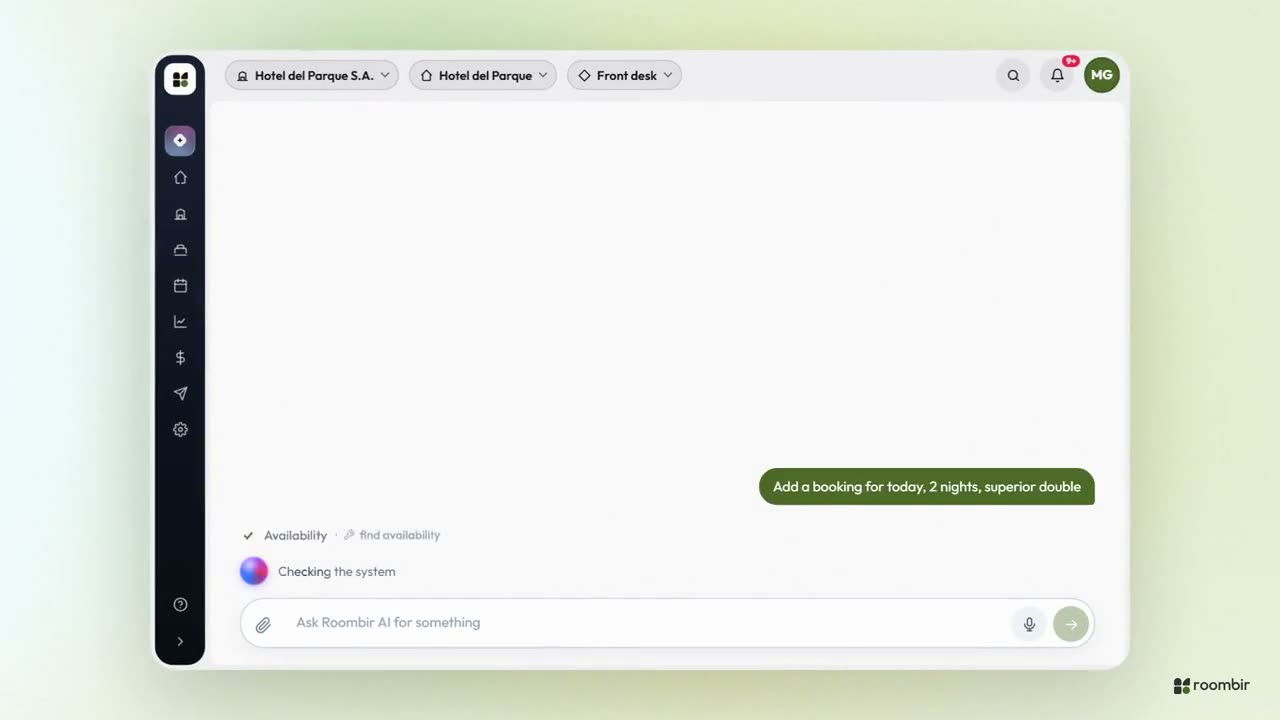
What you can ask it
There are no commands to learn and no screen to hunt for. These are requests from a normal day, and what it does with each one.
Move García from 203 to 204 starting Thursday
It finds the booking, checks that 204 is free those nights and moves it. It hands back the card with the change.
Raise the superior double 10% on October Saturdays
It tells you which dates that touches and applies it to the rate plan once you confirm.
Block the Alerce cabin Tuesday afternoon for maintenance
It creates the block from the afternoon on: Tuesday night comes off the engine and the morning stays sellable.
Change the homepage title and publish it
It edits the text in your site's draft and publishes it. If you don't ask it to publish, it stays a draft.
What should I do about the Vendimia festival?
It reads Mendoza's briefing — date, distance, nearby holidays, flight routes — and your pace for those nights, and suggests what to do with the rate and the minimum stay.
Which channel cancels on me the most?
It reads the channel report and answers with the number and the channel. With fewer than three bookings, it won't claim it.
Tourism snapshot
Before it says anything about your area, Roombir AI builds a briefing from fifteen public sources, every figure dated: what is happening this month and what is coming. The model does not go searching: it reads what the system already verified.
The difference
A general-purpose AI chat is very good at writing, and it does not see your system: it searches the web, gathers what it finds and summarizes it for you. Roombir AI starts from your data and from fixed sources. If you also ask it to search the web, it does that too.
| What matters | Roombir AI | A general-purpose AI chat |
|---|---|---|
| Sees your bookings, rates and rooms | Yes: the same ones you operate | No, unless you paste in the data |
| Makes the changes | Yes, with your permissions | No: it explains where to click |
| Where your destination data comes from | A briefing with fifteen fixed, dated sources | Whatever it finds on the web that time |
| If a figure is missing | It tells you it's missing | It doesn't always tell the difference |
| Searches the web | If you ask it to | Yes |
| Writes, summarizes and translates | Yes | Yes |
yesit dependsnonot rated
Strategic turn
An open-ended goal doesn't fit the usual pipeline. Roombir AI reads your whole operation — upcoming occupancy, pace, channels, competitors, what's still unconfigured — and picks up to three moves using fixed rules, not the model's taste. It proposes a plan with steps you can execute, and each step asks for your confirmation.
Permissions
It's the delicate part of any assistant inside a management system. Here it's solved in layers applied at different moments, and the last one sits where it can't be skipped: at the point of execution.
How you talk to it
Inside the desktop, in whichever workspace you're in, with that workspace's own history: front desk doesn't see marketing's conversations.
You dictate instead of typing. It works in any browser, because the transcription happens on our side.
You paste a screenshot or drop a PDF — a rate spreadsheet, an OTA listing — and it works from that.
A short audio clip or video gets summarized before the answer and comes in as context. Up to two minutes of audio.
When you ask it to search outside, it does. Otherwise, it works with your system and your destination's briefing.
Everything your user can do in the app, yes: it covers every screen in the system, except what we left out on purpose, like the guest flow or login. What your user can't do is never offered to the model: front desk does what front desk can do, not what admin can.
That's why there are brakes. Whatever writes data, it confirms with you in the conversation. Whatever it deletes asks for a button. Whatever can't be undone asks you to type out by hand what you're about to delete. And on the site it works on the draft: publishing is a separate step.
The system builds the briefing, not the model: fifteen public sources read with fixed rules and stored with their date. If a source didn't respond, the figure shows up as missing and the assistant has to say so. A made-up zero is worse than a missing figure, because it gets cited as evidence.
If you ask it to, yes. By default it works with your system and the destination briefing, which is verified information, one source per topic. Open search is there for when you want it.
It's not tied to one provider. Every turn gets classified and routed to the model that fits: a fast one for queries, a more capable one when it needs to write data or analyze. When a better model comes out, we switch it on our side and you don't have to do anything.
The assistant is genuinely useful once your system is loaded underneath. Start with sign-up, load a property and ask it something real.
01You sign up and load the property.
02You open Roombir AI from the desktop.
03You ask it something real and watch the transcript.